Using Grub Customizer to manage the Bootloader
I have Xubuntu and Windows installed on my machine. When booting my machine I can switch between those two systems. (This article was written for Xubuntu 14.04 and runs grub-customizer 4.06.)
Installation
sudo add-apt-repository ppa:danielrichter2007/grub-customizer
sudo apt-get update
sudo apt-get install grub-customizer
Usage
Once you have installed it, you can can start it with grub-customizer.
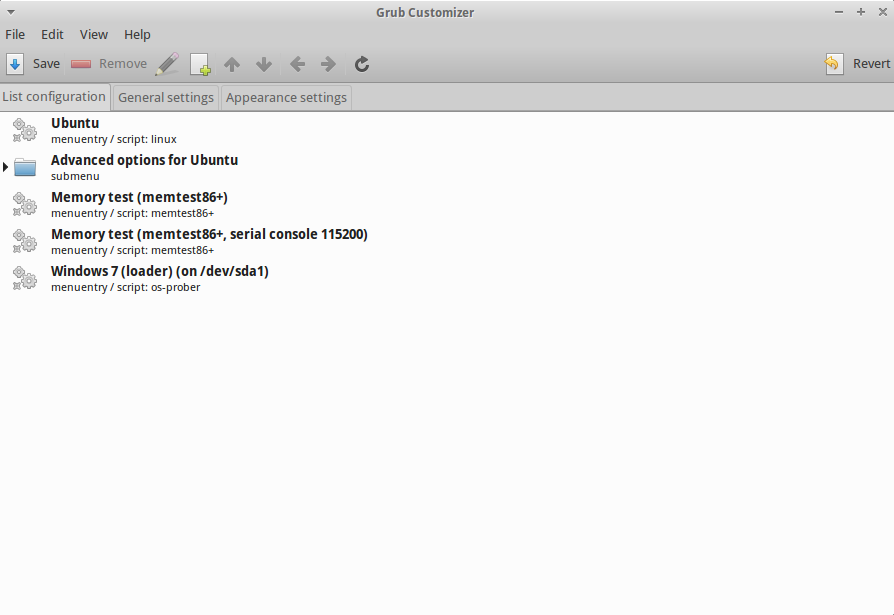
grub-customizer main window
After that you can click on an entry and change the loading list:
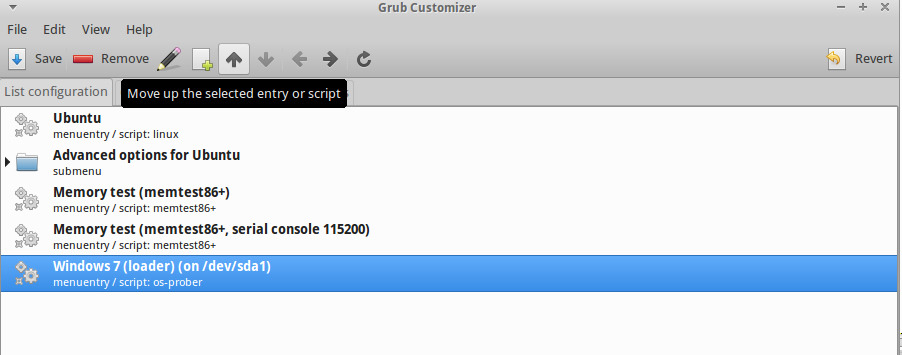
grub-customizer main window
The item at the first line will be the operating system which starts first.
After programming, it’s good to move Windows to the top to enjoy playing for example Pillars of Eternity.